Free Chip Walking ani Cursors at www.totallyfreecursors.com

network

Unknown | 04.48 | 0 komentar
network (jaringan) adalah suatu teknologi yang dapat menghubungkan perangkat satu dengan yang lain yang memiliki protokol yang sama.

jenis jenis jaringa:

  • lan (local area network)
  • man (metropolitan area network)
  • wan (wide area network)

komponen penyusun jaringan:
  1. personal komputer (pc)
  2. ethernet, wireles _tanpa kabel_
  3. media transmisi
  4. protokol
  5. tropologi

ethernet 
adalah perangkat keras yang berfungsi untuk menghubungkan antara mainboard/motherboard dengan perangkat jaringan lain.

media transmisi
adalah metode atau cara menghubungkan perangkat yang berbeda.

wireles
lebih rapi (more simple)
kelemahannya adalah dapat diganggu dengan cuaca. dan biaya pembangunannya lebih mahal

tipe tipe wireles:
  • infrared (model lama)
  • bluetooth
  • gelombang wireles/wifi

protocol
adalah mekanisme atau aturan dalam mengirim atau menerima data

contohnya :
  1. http (hiperteks transfer protocol
  2. ftp (file transfer protoxol)
  3. smtp (small message transfer)
tropologi
adalah design network dalam bentuk gambar

tipe tipenya:
  • star
kelemahannya : boros kabel
keuntungannya : jika kabel putus tidak akan terpengaruh


steps to assemble a computer

Unknown | 01.44 | 0 komentar

there are some things to consider when assembling a computer, before assembling the computer should prepare his tools first.for tools to assemble a computer that is:
  • screw driver 
  • pliers

The second tool is necessary when assembling a computer, other devices or components of the tool should be prepared are: motherboard ,processor ,harddisk ,cd / dvd drive ,ram, data cables, power supply ,vga card.


 The following are the steps to assemble a computer :)

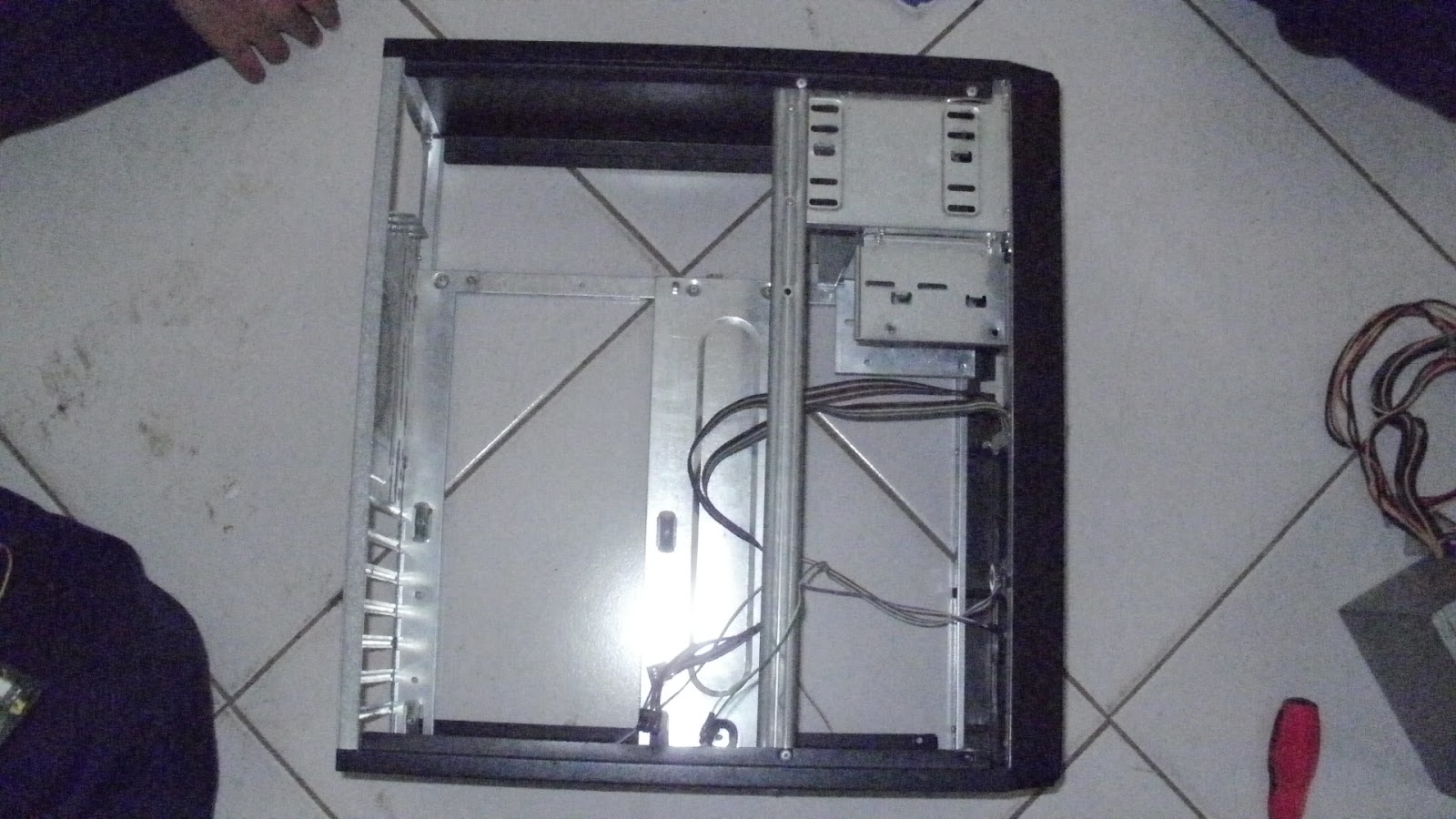
  • The first step is installing the motherboard

motherboard is the main board inside the casing
motherboard adalah papan utama yang berada didalam casing
  • installing a second power supply

power supply is a media that conduct electrical current to the motherboard from ac to dc
power supply adalah sebuah media yang menghantarkan arus listrik kemotherboard dari ac ke dc

  • The third pair optical drive

optical drive is through the pieces of data storage media cd
optical drive adalah media penyimpanan data memalui kepingan cd
  • a fourth harddisk install


harddisk is storage media data is permanently
harddisk adalah media penyimpanan data secara permanen 
  • the fifth set of ram

ram is temporary data storage media
ram adalah media penyimpanan data sementara

  • the sixth set of data cable

data cable is a device or medium that server to install the harddisk and cd rom
kabel data adalah perangkat atau media yang berfungsi memasang harddisk dan cdrom
  • the seventh set vga card

vga card is a device or medium that server to display images komputer
  • the eighth set casing

server to seal the components are mounted inside the casing.
berfungsi untuk menutup komponen-komponen yang sudah terpasang didalam casing.


how to assemble the computer is finished sorry yes,but not too full for me and my friends are still learning.
:)

not so difficult to assemble a computer, provided there is a will there's a way.
:)

"there are no winds that can help those who do not have a directional"
bhs indonesianya "tidak ada angin yag dapat membantu mereka yang tidak dapat memiliki penentu arah"
_michel de montaigne_

good luck all
:D

webcam not working

Unknown | 21.10 | 0 komentar

hii guys,.!!
how are you??

have you had a webcam on your laptop is not working or not connet??
way is to check the driver manager see if the hardware listed there? that does not mean there is the problem.

  • Right click on the popup menu and select update driver software. and follow the instructions
  • in this case there is no driver found. do a search program is the third driver http://www.driverfinderpro.com/. can help find the missing driver and install it.
  • if the way is not successful, the next step is to uninstall your software webcame. then after that install again, but before installing the drivers for the pc must be restarted first.

it may be useful
:)
if your laptop has not been successful in the service should be

how to address the message microsoft visual c + +

Unknown | 06.24 | 0 komentar

hi visitors SL
Have you ever had a message microsoft visual c + +?
if you've surely microsoft office can not open?It happened to me yesterday.
this my own way to fix it.
open the control panel to uninstall the program and search the literature of microsoft right click and then click change.
that if it can not open microsoft

how to uninstall the feature support for fast searcing
however, this method is only for computers runningmicrosoft windows 98 and windows milleniumedition.
Click Start, point to Settings, then click ControlPanel.
Kik twice in the Add / Remove Programs. NOTE:Because there are several versions of MicrosoftWindows, the following steps may be different onyour computer. If yes, see your product documentation to complete these steps.

On the Install / Uninstall tab, click Microsoft OfficeXP product, where Office XP product is the product name a specific office which each question. If you are using a stand-alone version of any Officeprogram, click the appropriate product in the list.
Click the Add / Remove.
the Maintenance Mode Options dialog box, clickAdd or Remove Features, then click Next.
click the plus sign (+) and Office Tools, point to theicon Support for fast searching, and then click NotAvailable.
kik Update.
Repeat steps 2 through 8 for all other Office XPproducts installed on your computer.
Restart your computer.
Note: Once you start these steps, and Mosdmn.exeFind file Mosearch.exe. You will not find them. If youfind them, you can safely delete these two files.

it may be useful
source: microsoft.com support


tips laptop/notebook yang cepat panas

Unknown | 05.17 | 0 komentar
kali ini saya akan membahas laptop/notebook yang cepat sekali panas,.ih waw??? itu tidak baik kan,?? :)

perhatikan!!! jika laptop/notebook anda panas sebaiknya cek sistem keluaran dari fan, biasanya menjadi masalah yaitu debu yang menghalangai saluran udara yang berada di fan yang seharusnya aliran udara yang panas keluar malahan tidak,. itu yang menyebabkan cepat panas (menurut saya).

solusinya adalah dengan membersihkan debu yang berada didalam fan (kipas) tersebut. berarti anda harus membongkar laptop/notebooknya h'mm gak mu repot? panggil aja jasa serive komputer. :)

biasanya sihh seperti itu kalau laptop/notebook cepat panas
semoga bermanfaat dch ya!!
:)


windows 8

Unknown | 06.46 | 0 komentar
wahhh ada yang baru nh??!!

windows 8 adalah nama kode untuk versi mendatang dari microsoft windows, serangkaian sistem operasi yang diproduksi oleh microsoft untuk digunakan pada komputer pribadi. laptop,notebook. sistem operasi ini menggunakan microprossesor ARM selain microprossesor x86 tradisional buatan intel dan ADM windows 8 di desain untuk tablet sentu/layar sentuh.

diduga sistem operasi ini akan tersedia di tahun ini
kelebihan windows 8 :
kemampuan bootingnya yang sangat cepat waktu yang diperlukannya hanya 8detik waw luar biasa!!!bayangkan 8 detik??!!
semua software yang berjalan diwindows 7 bisa juga dipakai diwindows 8
desain menunya disusun dengan rapi, jejaring sosial pun bisa dilakukan dilayar awal
proses booting pun lebih aman dilengkapi dengan secure boot yang bekerja dengan bios berbasis UEFI sehingga bisa melindungi pc.


piramida

Unknown | 04.59 | 0 komentar
haii para pembaca adinda bunga mentari
kali ini saya akan memposting tentang piramida
apa sh itu??

piramida atau piramid
adalah konstruksi bangunan yang sudah digunakan sejak lama oleh bangsa mesir kuno maupun bangsa maya, digunakan sebagai makam para raja-raja masa dulu serta sarana ibadah (tempat pemujaan).

beragama analisis tentang kegunaan piramdia. ada yang menyimpulkan sebagai warisan ufo karena bangunan mirip piramida ditemukan dimars, ada juga yang mengatakan peninggalan peradaban atlantis dan ada juga yang mengatakan konstruksi piramida digunakan sebagai peradaban lampau. konstruksi kubah sendiri baru digunakan pada masa romawi dengan konstruksi pelengkungan pada bangunan betonnya dan romawi timur.

 
Support : Creating Website | Johny Template | Mas Template
Copyright © 2011. adinda bunga mentari (SL) - All Rights Reserved
Template Modify by Creating Website
Proudly powered by Blogger